ACOUSTIC INSTRUMENT · BACKGROUND MIXER
Binaural Acoustic Soundboard
Mix rain, a fan, soft noise and optional binaural tones. Save a mix you like, or set it to stop after 15, 30 or 60 minutes.
Steady rain against a window, without thunder
A gentle mechanical hum with soft airflow
A subdued wash of distant activity, without intelligible speech or sudden horns
A continuous background texture
A separate continuous tone in each ear
Binaural tones
Stereo headphones needed for the binaural effectHow binaural tones work
Each ear receives a slightly different tone. With stereo headphones, this can create the impression of a repeating beat. The frequency names describe the setting, not what your brain is doing.
For example, the Alpha setting uses 220 Hz left / 230 Hz right, a difference of 10 Hz. The 40 Hz Gamma option is an exploratory frequency setting and
does not promise a single slow beat.
Fine adjustment
Starting mixes
ReadingTechnical notes: sound generation, stereo routing and timer fade
Fan and Soft noise (Brown and Pink) are generated procedurally in your browser using Web Audio filters and crossfaded stochastic buffers. Rain and Distant city use compact, same-origin seamless stereo loops loaded only when those channels are turned up during playback.
When Binaural tones are enabled, two separate sine oscillators are routed
independently to the left and right ears through a stereo ChannelMergerNode rather than amplitude-modulating a single tone. The sleep timer uses a dedicated Web Audio gain
stage that ramps smoothly to silence over the final ten seconds, so adjusting the master volume
dial never overrides an active fade.
Updated
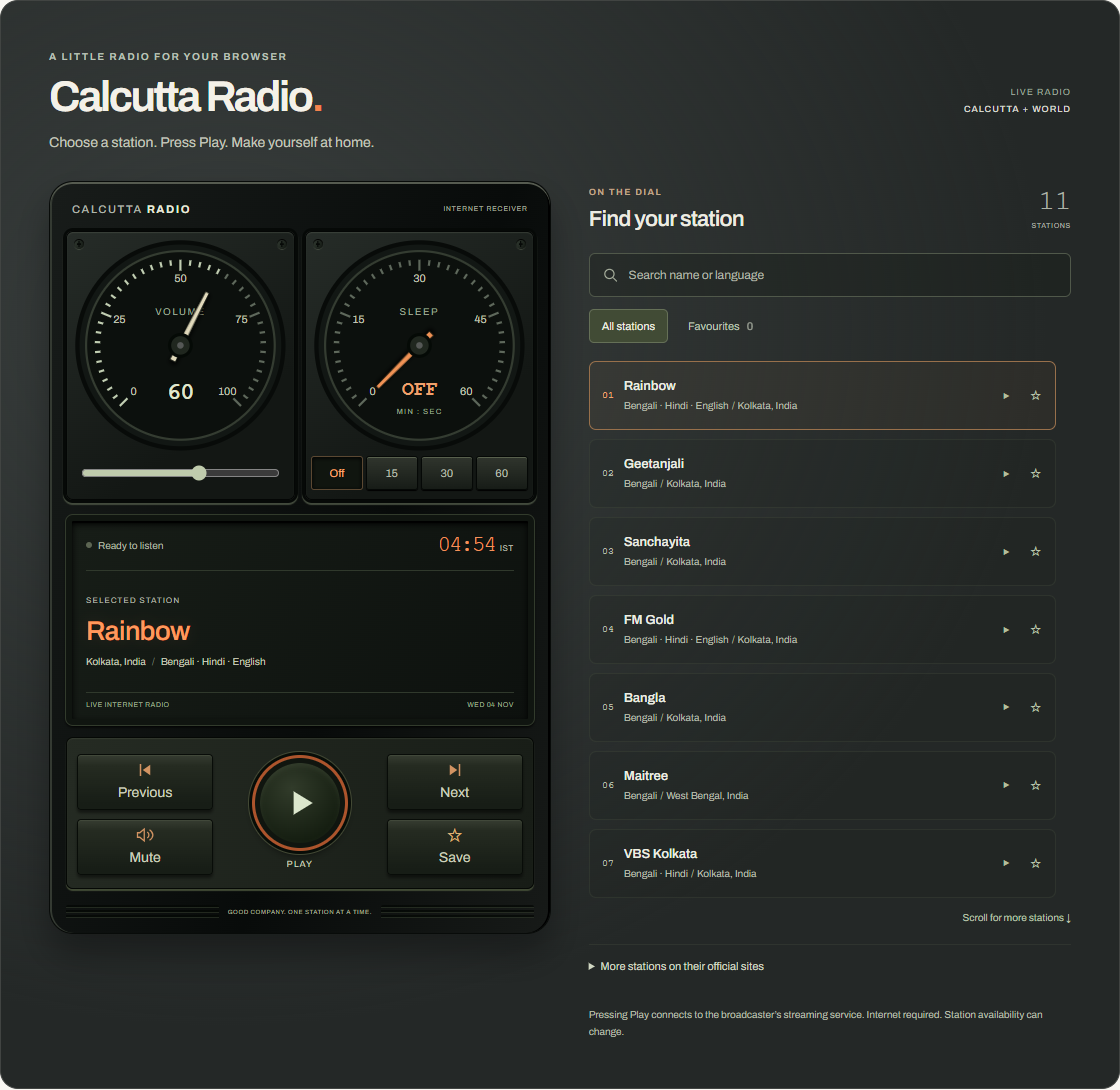
Want something quiet on while you read, work, or rest? Start with Reading, press Play, adjust the Rain and Fan faders, and set a 30-minute timer. When you want live speech or music instead of a wordless room tone, switch over to Calcutta Radio.
Five quiet channels
Every channel has its own level fader and mute button. Muting a channel remembers its previous level so unmuting returns directly to your setting:
- Rain — steady rain against a window, without thunder or sudden downpours.
- Fan — a gentle mechanical hum with soft continuous airflow.
- Distant city — a subdued wash of far-off movement, without intelligible speech or abrupt horns.
- Soft noise — a continuous background texture with a choice between warmer Brown noise and brighter Pink noise.
- Binaural tones — an optional pair of continuous sine tones routed separately to the left and right ears.
What the binaural settings mean
The binaural layer stays off in the initial presets so you can use the ambient channels through ordinary speakers. When you wear stereo headphones and raise the Binaural tones fader, the left ear receives a steady 220 Hz carrier tone while the right ear receives 220 Hz plus the selected difference (Delta 2 Hz, Theta 6 Hz, Alpha 10 Hz, Beta 20 Hz, or Gamma 40 Hz). Under Fine adjustment, you can set any difference from 1 Hz to 40 Hz in 0.5 Hz steps.
These labels follow conventional frequency-band names used in acoustics and EEG literature, but the soundboard generates audio tones rather than generating or measuring brain waves. As a 2023 systematic review in PLOS ONE notes, empirical studies do not establish reliable brainwave entrainment from binaural beats, so the settings describe the acoustic frequency difference without promising a specific mental state.
Saved mixes and the sleep timer
Starting from Reading, Work, or Rest, any fader adjustment switches the label to Custom mix. You can save custom mixes in your browser, load or rename them later, or update a saved mix after tweaking its balance. Loading a preset or saved mix updates only the five channel controls while keeping your current Master volume and sleep-timer countdown intact.
The sleep timer offers Off, 15, 30, and 60 minutes. Selecting a duration sets an absolute deadline that survives channel and preset changes. During the final ten seconds before the countdown reaches zero, a dedicated gain stage fades the mix smoothly to silence and stops playback.
Quick reference and FAQ
Choose Reading, press Play, adjust the rain and fan faders, and set a 15, 30 or 60-minute sleep timer. Add optional stereo binaural tones with headphones and save mixes in your browser.
Key Terms
- Binaural tones
- Frequency difference
- Pink and brown noise
- Web Audio synthesis
Frequently asked questions
Does this generate or measure brain waves?
No. The soundboard generates two audio tones at a selected frequency difference in the left and right headphone channels. Research does not establish reliable brainwave entrainment from binaural beats, so the frequency names describe the audio setting rather than a mental state.
Do I need headphones?
Stereo headphones are needed for the binaural tones because each ear must receive its own frequency. The rain, fan, distant city and soft noise channels work through either speakers or headphones.
Does audio start automatically when I open or reload the page?
No. Audio starts only when you press Play. Reloading or reopening the page restores your saved mixes and master volume setting, without restarting playback or an active sleep timer.
Where are my saved mixes stored?
Saved mixes and master volume settings stay in this browser's local storage when available. No account is required and nothing is uploaded.
How does the sleep timer stop playback?
Selecting 15, 30 or 60 minutes sets a wall-clock deadline. During the final ten seconds, a dedicated gain stage fades the mix smoothly to silence before stopping playback.
Word Cloud
Related reading
Selected by shared topics and section, with closer publication dates breaking ties.
Comments
Read the conversation or leave a thought for review. Comments load when this section is in view.