Create Art: A Living Pigment Studio
On this page
Quick Answer
This browser studio treats a brushstroke as material rather than a finished line. Color, moisture, motion, drying, and surface texture enter a GPU simulation, so watercolor blooms and oil-like strokes keep changing after the pointer moves away.
Key Terms
- Advection
- Diffusion
- Pigment deposition
- Local wetness
- Viscosity
- Granulation
- Ping-pong textures
- Fragment shader
- Subtractive mixing
- WebGL2
Frequently asked questions
Does a stroke remain a fixed line after I draw it?
No. A stroke injects pigment, moisture, and motion into the same evolving state as the rest of the painting. It can spread, mix, settle, and dry after the pointer has left it.
Is this a scientifically exact simulation of watercolor and oil paint?
No. It is an artistically tuned model built from advection, diffusion, drying, deposition, viscosity, and procedural texture. It does not reproduce complete fluid dynamics, pigment spectra, paper chemistry, or three-dimensional bristle mechanics.
Does the studio upload or publish my artwork?
No. Painting, project saving, and image export happen locally in the browser. Nothing is uploaded unless you choose to share an exported file yourself.
Can I use a mouse, finger, or pressure-sensitive stylus?
Yes. The studio uses Pointer Events for mouse, touch, and pen input. When a browser reports pen pressure, it can affect the brush; otherwise the studio uses a stable pressure value and stroke speed.
What happens when reduced motion or WebGL limitations are detected?
Reduced-motion preferences begin with restrained or paused evolution while preserving drawing and manual stepping. If the required WebGL features are unavailable, the article and static poster remain readable and explain the reduced experience.
Uses the speech voice supplied by your browser or device.
Most digital painting programs treat a brushstroke as a completed instruction. The pointer moves, pixels appear, and the mark sits obediently where it was placed. Real paint is less disciplined. Water carries pigment beyond the path of a brush. Oil drags neighboring color into a ridge. Paper fibers trap some particles and release others. A wet edge darkens while its center grows pale. The artist may lift a hand and still find the mark changing.
This studio is an attempt to give digital pigment that small afterlife. A gesture begins the mark, but the simulated material helps decide what the mark becomes.

Try the studio
A quick start
- Choose Watercolor or Oil.
- Pick a pigment and a brush.
- Draw with a mouse, finger, trackpad, or stylus.
- Use the water-only brush to move paint that is already there.
- Change diffusion, surface moisture, drying, viscosity, and granulation.
- Pause when the composition reaches an interesting state.
- Export the artwork as an image or save the project locally to continue later.
The surface may begin as clean paper or as a seeded wash. New evolving background creates a coherent starting arrangement rather than television static. Keep the seed if you want to return to the same beginning. Try a large soft wash before reaching for the smaller brushes; it makes local wetness easier to see.
Interactive shader studio · local and private
Living Pigment Studio
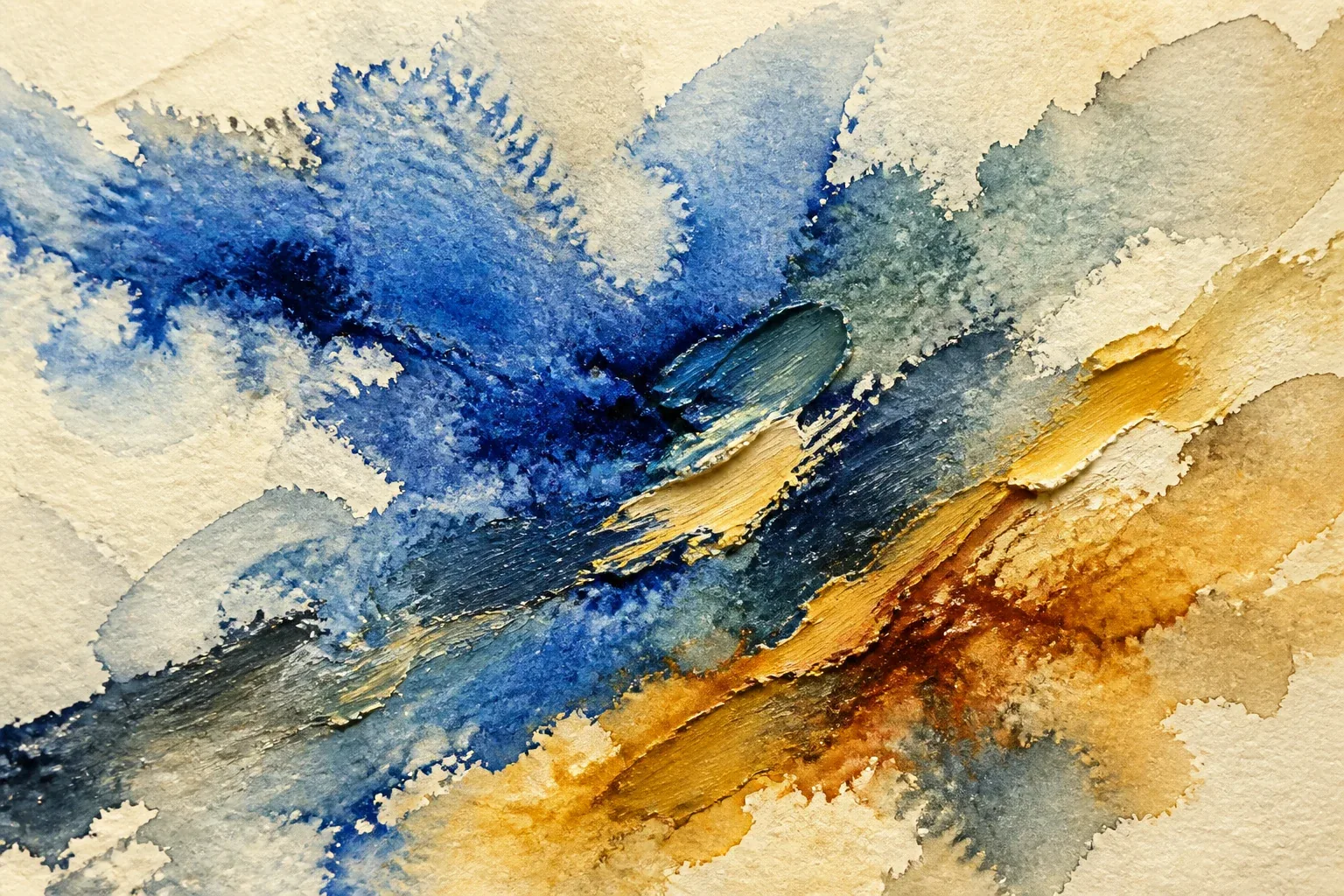
Preparing the pigment surface…
Draw with a mouse, finger, trackpad, or stylus. The canvas requires pointing input. Press Space to pause; B selects the round brush, E the lifter, W the water brush, brackets resize the brush, and modifier-Z controls undo.
Preparing the pigment surface…
Info and performance
Three ping-pong fields run at — in RGBA8. The display canvas resizes independently, so normal layout changes preserve the artwork.
Reduced motion starts paused. Hidden and offscreen studios stop requesting frames. High quality uses more GPU memory; Low is intended for battery-limited devices.
The artwork remains on your device. The studio does not create an account, send the canvas to a server, or place the result in a public gallery. Exporting or sharing is a deliberate action under your control.
A brushstroke that refuses to stay still
Each pointer sample adds more than a visible color. It can add mobile pigment, water or solvent, local momentum, pressure, and a textured brush footprint. Fast pointer movement is interpolated into closely spaced samples, so a quick stroke does not become a trail of disconnected dots. A pressure-sensitive pen can vary brush size and pigment load. Mouse and touch input receive a steady default pressure, with a restrained adjustment from speed where that helps the mark feel less mechanical.
The brush types are different ways of disturbing the simulation, not decorative cursor shapes. A round brush makes a compact radial injection. A soft wash adds more water across a broader area. A dry brush catches the simulated grain and leaves broken deposits. A dropper concentrates pigment and moisture so a bloom can grow outward. A palette knife pushes thick paint along its direction of travel. The water brush adds moisture and motion without adding color. The lifter removes part of the mobile and deposited pigment; true clear moves an area toward the underlying surface instead of painting opaque white over it.
Once injected, the new material loses its special status as a “stroke.” It enters the same calculation as the pigment already present. That is the central difference between this studio and a conventional canvas followed by a blur or shader filter.
The hidden maps beneath the painting
The visible artwork is assembled from several invisible maps, usually called fields. Imagine transparent sheets stacked beneath the painting:
- A pigment field records color and concentration, including material that can still travel.
- A deposited-pigment field records color that has become resistant to movement.
- A moisture field records local water or solvent rather than one wetness value for the whole canvas.
- A velocity field records the direction and strength of local flow.
- A drying field describes how readily pigment should settle and stop moving.
- A procedural surface field supplies paper grain or canvas relief.
Every point on the surface can therefore be wet or dry, still or moving, lightly stained or heavily loaded. For efficiency, these conceptual sheets are packed into three GPU textures. The first stores mobile subtractive absorption in red, green, and blue plus local wetness. The second stores deposited absorption plus paint thickness. The third stores horizontal and vertical velocity plus local granulation and staining. Procedural grain is recreated from the surface coordinates and seed rather than consuming another full-size state texture.
The final renderer combines those packed fields into color, translucency, darkened edges, granulation, and shallow impasto-like lighting cues. The optional See the physics view can display moisture, pigment density, velocity, deposition, drying, or grain with a legend. It is an inspection layer only; looking at a field does not modify the painting.
Advection: paint taking a ride
Advection is the transport of material by a moving fluid. Tea leaves carried around a stirred cup are an everyday example: the leaves do not decide where to go; the local motion carries them.
For each point , the simulation looks backward along the velocity and asks where the material probably came from during the last small interval :
may represent mobile pigment or moisture. The equation says, in plain language: to fill this location now, sample the old field a short distance upstream. Looking backward avoids trying to throw every source value forward and deciding what to do when several of them land in the same place. It is a stable, practical approximation called semi-Lagrangian advection.
Pointer direction injects a small velocity, so a brisk sweep can drag paint. Surface texture and turbulence bend that motion. Damping then removes energy so the painting does not churn forever.
Diffusion: the slow argument between neighboring pixels
Advection carries material along a direction. Diffusion spreads it because nearby concentrations differ. At each location, a Laplacian estimate compares the center with its neighbors. If the center is much more concentrated, a little material moves outward; if it is less concentrated, a little moves inward:
Here is a diffusion rate and is the local neighbor comparison. Water generally receives a larger effective rate than heavy pigment. Watercolor permits more movement while a region is wet; oil uses much less spreading and more directional displacement.
Unbounded diffusion would eventually turn a lively composition into one flat, muddy average. The studio restrains it with local wetness, viscosity, deposition, velocity decay, and drying. Diffusion slows as moisture falls, while an increasing share of pigment becomes fixed to the surface.
Why edges become darker
A drying watercolor wash often leaves a darker rim. In a real wash, evaporation, capillary flow, particle size, paper absorption, and the contact line all contribute. The familiar coffee-ring effect is related: liquid evaporates strongly near a pinned edge, and internal flow carries suspended material toward that boundary.
This studio uses a smaller artistic approximation. It detects moisture gradients and partially drying boundaries, nudges some mobile pigment toward them, and increases deposition there. Grain changes how strongly the effect appears from place to place. Edge darkening controls the strength of this behavior; it is not a claim that the browser is solving the complete physics of an evaporating droplet.
The same moisture-gradient idea helps produce backruns, sometimes called cauliflower patterns. Adding clean water to a partly drying wash creates a wetter interior that pushes into the older boundary and redistributes pigment. The result can form branching, irregular edges rather than a uniform blur.
Wet-on-wet and wet-on-dry
A single global wetness slider cannot describe a painting. A fresh wash beside a dry line should not behave like a fresh wash inside a puddle. The moisture map makes that distinction local.
On a dry region, pigment is captured more quickly. A stroke keeps a sharper edge and records more of the brush footprint. On a damp region, pigment moves but remains partly controlled. In a saturated region, water carries mobile pigment more broadly and nearby colors meet. The water brush changes moisture and the movement of pigment that is still mobile; it does not remobilize pigment already deposited on the surface. Use the lifter to remove deposited color; staining pigments resist that removal more strongly.
The surface moisture control sets the general starting condition and influences new marks. It does not overwrite the internal wetness map. Dry islands can remain inside a globally damp surface, and a water brush can reopen one small area of an otherwise dry painting.
Oil is not thick watercolor
Oil mode changes more than the diffusion slider. High viscosity damps motion and keeps neighboring color cohesive. Mixing remains partial, so a blue stroke dragged through ochre can retain streaks of both instead of becoming an immediate uniform green-brown. The brush direction matters: a flat brush or palette knife pushes, scrapes, and smears along its path.
An additional height-like value accumulates with deposited pigment and gives the renderer a restrained suggestion of impasto. Spatial changes in that value create ridges that catch virtual light. Deposited paint stays fixed until lifted or cleared; it does not undergo a separate surface-relaxation simulation. This is a surface cue rather than a true three-dimensional volume of paint. The simulation does not model a bristle bending, a knife flexing, or a millimeter-thick layer folding over itself.
Hybrid mode borrows controlled spreading from watercolor and persistent dragging from oil. It is deliberately an invented digital medium, useful when physical allegiance matters less than the resulting image.
Paper has geography
Paper looks flat from across a room, but pigment encounters a landscape of fibers, hollows, compressed patches, sizing, and absorbent channels. A canvas presents a different repeated relief. The studio makes a compact procedural geography from layered noise. It is generated from a seed, so the same seed recreates the same broad surface pattern.
Small simulated valleys collect more pigment. Raised, dry areas catch a broken brush unevenly. Grain perturbs local deposition and flow just enough to prevent every edge from looking mathematically perfect. Granulating pigments exaggerate this difference, while staining pigments remain more evenly embedded. The texture is intentionally subtle: it should influence the paint rather than appear as a noise image placed on top of it.
How colors mix
Averaging display RGB values is convenient but often disappointing. Those values are encoded for a screen, not for mixing paint; repeated averaging tends to lose brightness and produce lifeless gray-brown patches.
The studio stores pigment as three approximate absorption values rather than as finished display color. During rendering, mobile and deposited absorption are combined with their concentration and thickness. Reflectance is reconstructed with an exponential Beer–Lambert-inspired relationship in linear light:
where is accumulated absorption for one color channel and is the remaining reflected light in that channel. More pigment therefore removes more virtual light instead of merely averaging two screen colors. Transparency and staining control how much of the underlying layer remains visible, while a restrained mixing control decides how quickly neighboring mobile pigments exchange absorption. The result returns to display-encoded RGB only for presentation.
This is not a full Kubelka–Munk calculation and does not store laboratory absorption and scattering spectra for real minerals and dyes. “Ultramarine,” “Viridian,” and “Burnt Sienna” are artist-friendly digital pigments with tuned hue, mobility, density, staining, and granulation. They can suggest familiar behavior, but they cannot predict the chemical result of mixing particular paint brands.
The GPU as a tiny paint laboratory
The rapidly changing fields live in three packed GPU textures. A fragment shader updates many surface locations in parallel, which is the sort of repeated local calculation a GPU performs well. The browser does not read the entire painting back to JavaScript after every frame.
The main update uses ping-pong textures. Think of two trays passing the painting back and forth:
- One set of three textures stores the current mobile pigment and wetness, deposited pigment and thickness, and velocity, granulation, and staining.
- A shader reads that current set and writes the next state into a matching set.
- The current and next sets exchange roles.
- The process repeats for a bounded number of steps per animation frame.
Pointer input is another shader pass that injects pigment, moisture, motion, or lifting into the current state. A render pass then converts the simulation fields into the visible artwork. Simulation resolution is independent of CSS size, so a phone can use fewer cells without shrinking the displayed canvas. Quality presets bound texture size and substeps; device-pixel ratio is capped so a dense tablet screen does not quietly request an enormous simulation.
The studio pauses GPU work when the page is hidden and stops it when the component leaves the page. Resizing preserves the current artwork rather than clearing it. WebGL context loss, unsupported texture formats, shader errors, export failures, storage limits, and damaged project files produce readable messages; technical shader details belong in the optional diagnostics panel rather than in the main creative interface.
If you would like to see a simpler shader built one idea at a time, visit Hello, Fragment. The Monte Carlo laboratory shows a different division of labor between a CPU model and a WebGL renderer, while the Artificial Life Lab demonstrates how local rules can produce a history that was not scripted frame by frame.
Presets and controlled chance
Presets are starting arguments with the material, not image filters. Morning Wash favors translucent warmth and gentle spreading. Monsoon Paper begins damp and absorbent. Dry Earth emphasizes broken grain. Ultramarine Bloom gives a granulating blue room to separate. Oil and Ash uses slow, dark, viscous dragging. Vermilion Current, Moss on Stone, Burnt Sienna Study, and Quiet Turbulence each bind a palette to a useful range of moisture, viscosity, and motion.
Calcutta Rain stays restrained: humid grays, oxidized greens, washed masonry colors, and a little muted earth. It is a material atmosphere rather than a decorative postcard.
Randomization is bounded at three levels. Random palette chooses a compatible set of current pigments. Random background changes the initial regions, flow, and moisture while preserving the controls. Surprise me selects tested combinations instead of arbitrary extremes. Every randomized beginning exposes its seed. Reusing that number restores the same initial arrangement where the browser’s supported texture path permits it, but your later gestures still make the painting your own.
What this simulation simplifies
This is an artistic model, not a computational-fluid-dynamics package or a pigment-chemistry laboratory. It deliberately omits or compresses important realities:
- It does not solve a complete incompressible Navier–Stokes pressure system.
- It stores a compact color approximation rather than true pigment spectra and particle-size distributions.
- It suggests capillary behavior but does not model water traveling through a three-dimensional cellulose network.
- Its impasto is a height-like visual cue, not a volumetric layer of paint.
- Drying is a controlled loss of mobility, not a chemical model of oxidation, polymerization, or solvent chemistry.
- Brushes inject mathematical footprints; individual wet bristles do not bend, split, and exchange paint.
- Paper grain is procedural and seeded rather than scanned fiber geometry.
These limits are useful to know because an attractive image can make an approximation feel more authoritative than it is. The studio aims for coherent artistic cause and effect: wetter regions spread farther, viscous regions drag, grain collects pigment, drying fixes it, and nearby colors mix without instantly collapsing into mud.
Experiments to try
The controls become clearer when only one condition changes at a time.
- A meeting boundary: place two wet pigment drops beside each other. Watch where they mix, where they resist, and whether a darker seam forms as the boundary dries.
- Reopen a stroke: paint a line on dry paper, wait for partial deposition, then pass the water-only brush through it. Compare the moving interior with the stained remainder.
- Granulating blue: choose an ultramarine-like pigment, raise granulation, and make a broad damp wash. Look for particles collecting in the procedural valleys.
- Knife through oil: switch to Oil, raise viscosity, and pull a palette knife through two neighboring colors. Lower mixing strength if the streaks combine too quickly.
- Atmospheric wash: reduce drying speed, use a large soft wash, and add restrained turbulence. Let the image evolve slowly instead of filling every area with another stroke.
- Catch a bloom: add a wet drop to a partly drying region and pause midway through the backrun. Single-step the simulation to inspect how the edge advances.
- Same beginning, different decisions: record a background seed, make one painting, reset to that seed, and respond with different brushes. Chance supplies the same opening; gesture changes the history.
Also try doing less. A pause, a slower simulation speed, or the Dry artwork action can be as consequential as another mark. Drying is how the system keeps a composition from wandering forever toward uniform color.
Saving the result
Export PNG captures only the artwork, not the toolbar or controls. Secondary formats may trade transparency or fidelity for a smaller file. High-resolution export reports what it actually does: when the browser cannot rerun the full simulation at a larger texture size, an enlarged render is an upscale, not a new high-resolution physical simulation. Copying to the clipboard depends on browser permission and may not be available everywhere.
Save project stores the editable state locally so pigment, moisture, deposition, settings, palette, seed, and surface can be restored. Large state belongs in a downloadable project file or browser storage intended for blobs, not in a tiny localStorage preference entry. Loading validates the file before replacing the current painting. Keep exported images separately; browser storage can be cleared by the browser or by the user.
Filenames include a timestamp, such as living-pigment-art-2026-07-22-153045.png, so repeated exports do not all arrive with the same anonymous name. No save action silently uploads the work. The image becomes public only if you send or publish it yourself.
Access, motion, and battery use
The painting itself is visual and requires pointing input, but the surrounding studio uses labeled native controls, readable values, visible focus states, large touch targets, and selected states that do not depend on color alone. Status text reports the current mode, pause state, resolution, performance, and whether pen pressure has been detected. The field inspector has text labels and a legend rather than presenting false-color maps without explanation.
Keyboard shortcuts provide quicker access to brushes, water, lifting, brush size, pause, undo, redo, random backgrounds, export, and fullscreen. They are ignored while a text, number, select, or range control has focus, and browser save or navigation shortcuts are not captured carelessly. Clear requires confirmation because a single key should not destroy a painting.
When reduced motion is requested, continuous evolution begins paused or restrained. Drawing still works, and Single step lets the user advance the material deliberately. Decorative motion is suppressed. When the tab is hidden or the studio leaves the viewport, animation work pauses; returning does not attempt an enormous catch-up. Lower-powered devices begin with a smaller simulation texture and bounded substeps. These choices serve accessibility, battery life, heat, and ordinary browser courtesy at the same time.
If JavaScript fails, this article, its equations, instructions, limitations, and poster still remain. The interactive surface is an enhancement to an explanation, not the only container of meaning.
Closing reflection
Painting has always involved a material that answers back. Water runs farther than intended. A loaded brush leaves one generous mark and then becomes stingy. Oil remembers the direction of a knife. Paper interrupts a smooth intention with its own small geography.
This studio makes that resistance mathematical and modest. The artist chooses the pigment, pressure, timing, and gesture. The simulated material spreads, catches, separates, and settles within rules that can be inspected but not micromanaged pixel by pixel. The final image belongs to that negotiation: a hand making a proposal, and a living pigment surface replying.
Word Cloud
Related reading
Selected by shared topics and section, with closer publication dates breaking ties.